What is Microsoft's Power BI | Learn more details about Power BI
Power BI is now much more than an Excel query tool. Power BI is an interesting mix of software-as-a-service and desktop app. You can use the desktop app to explore your data and build reports; but it’s the combination of app and cloud service that really makes sense.
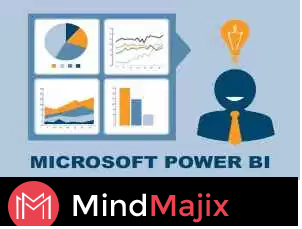
Power BI can unify all of your organization's data, whether in the cloud or on-premises. Using the Power BI gateways, you can connect SQL Server databases, Analysis Services models, and many other data sources to your same dashboards in Power BI.
What do you mean by Power bi?
Microsoft Power BI is a free, self-service business intelligence cloud service that provides non-technical business users with tools for aggregating, analyzing, visualizing and sharing data.
Why do we need a business intelligence?
Data has to be secure and distributed efficiently for important up-to-date business decisions. ... Hence data can help maximize revenues and reduce costs. A Business Intelligence (BI) solution helps in producing accurate reports by extracting data directly from your data source.
What is Microsoft Power bi used for?
Power BI is a cloud-based business analytics service that enables anyone to visualize and analyze data with greater speed, efficiency, and understanding. It connects users to a broad range of data through easy-to-use dashboards, interactive reports, and compelling visualizations that bring data to life.
What is a dashboard in Power bi?
Dashboards can't be created on mobile devices but they can be viewed and shared. + The visualizations on a dashboard come from reports and each report is based on one dataset. In fact, one way to think of a dashboard is as an entryway into the underlying reports and datasets.
Power BI Advantages
- Power BI puts business intelligence creation into the hands of analysts who can extract source data, create a dataset, transform or manipulate the data, visualize the data and publish the resulting reports and dashboards. For progressive or iterative analysis, analysts can evolve the BI with new measures or dimensions without requiring IT involvement.
- The Question and Answer (Q&A) function may be the top cited benefit and capability in achieving self-service BI.
- The dashboard visualizations are best in class and continually updated from the community. Interactive geo-map visualizations are empowered by Bing Maps.
- The DAX (Data Analysis Expressions) scripting language is a relatively simple construct used to create calculated columns and measures. It's similar to Excel, although while Excel is cell based, DAX is column based.
- The pace of innovation is amazing. The product is updated about monthly.
- The free version reduces acquisition barriers.

How do I create a dashboard in Power bi?
Now create your own dashboard using one of the Power BI sample reports.
- Hover over the visualization you want to pin, and select the pin icon.
- Decide whether to pin to an existing dashboard or new dashboard.
- In some cases, the item you are pinning may have a theme already applied.
- Select Pin.
Key features of Power BI include:
- Hybrid deployment support - This feature provides built-in connectors that allow Power BI tools to connect with a number of different data sources from Microsoft, Salesforce and other vendors.
- Quick Insights - This feature allows users to create subsets of data and automatically apply analytics to that information.
- Cortana integration - This feature, which is especially popular on mobile devices, allows users to verbally query data using natural language and access results, using Cortana, Microsoft's digital assistant.
What are the objectives and learning outcomes of Power bi?
Power BI Training Course gives an overview of rich visuals to aid organizations. It emphasizes whole business on one dashboard, create stunning interactive reports and consistent analysis across the organization. The course curricula include:
Power BI Desktop
Power BI Components
Power Query for Data Transformation
Power Pivot for Data Modelling
Data Visualization with Power BI Desktop, Power View and Power Map
The training explores each topic through the lens of a real-world example application. With plenty of examples, tips, and clear explanations, you’ll master many advanced aspects of Power BI.
Why to Choose Mindmajix to learn Power bi?
Mindmajix is creating and shaping brilliant minds that are efficient and versatile to scale greater heights in the present technological world. We also offer placements based solely on merit and guarantee a wide span of hands-on training projects with our ongoing developmental processes. It is conceptualized and initiated by several multidisciplinary and ingenious software technocrats having a combined experience of more than 10 yrs in the industry.
For information Please visit our
website:- https://mindmajix.com/
To Attend Free Demo (Or) for any Queries Write to us at
info@mindmajix.com (or) Call us on
USA :- +1 201 3780 518, +1 972-427-3027
India:- +91-9246333245
Schedule and Attend Free Demo here!
Comments
Post a Comment